
Netflix, Disney+, HBO Max
Zero-Friction TV Login
Sign in to a streaming app on your TV with one tap from your phone, without QR codes, browsers or passwords.
- Role
- Concept · Product design
- Timeline
- 2026 (Q2)
- Platform
- TV apps + iOS
- Tools


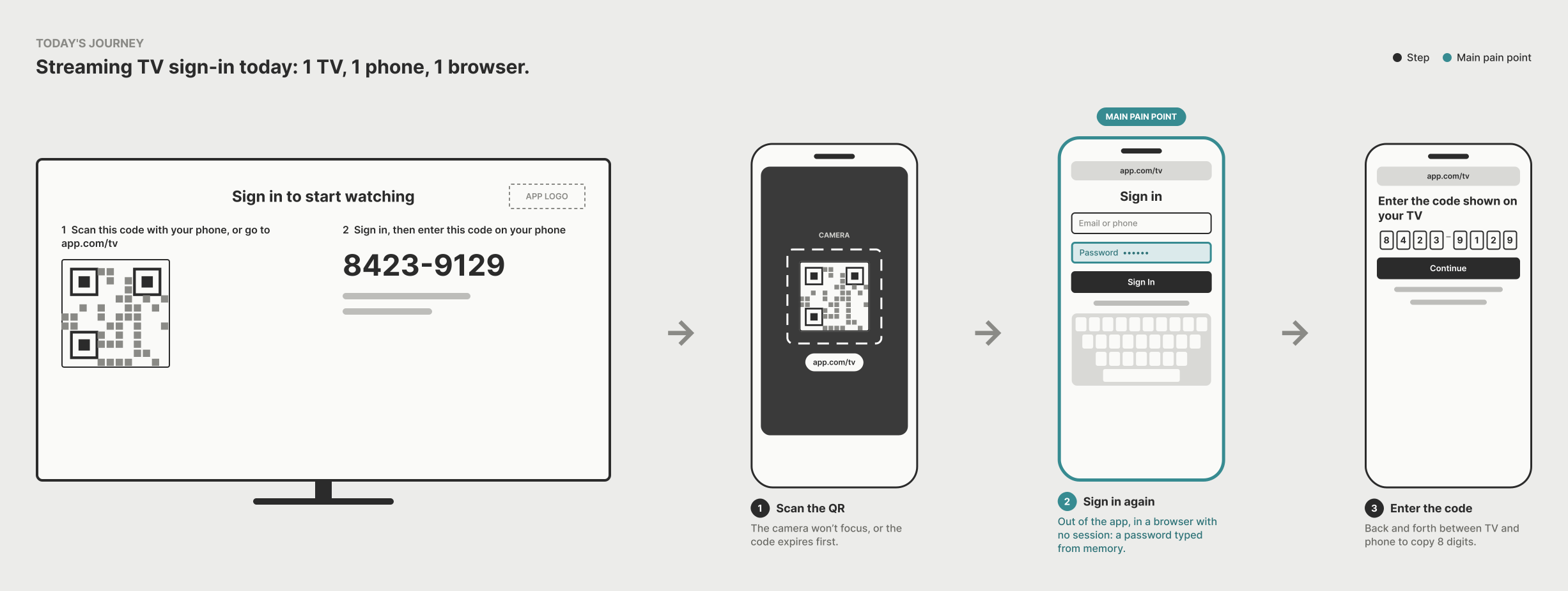
The problem
Setting up a new TV still means leaving the app. You scan a QR code or type a URL, land in a browser that doesn’t know you, and type a password you saved months ago on a phone keyboard. Then you go back and forth between the TV and the phone to copy an 8-digit code.
~45 s
To activate a TV, and the slowest step happens outside the app.
The idea
Your phone is already signed in. It just needs to find the TV.
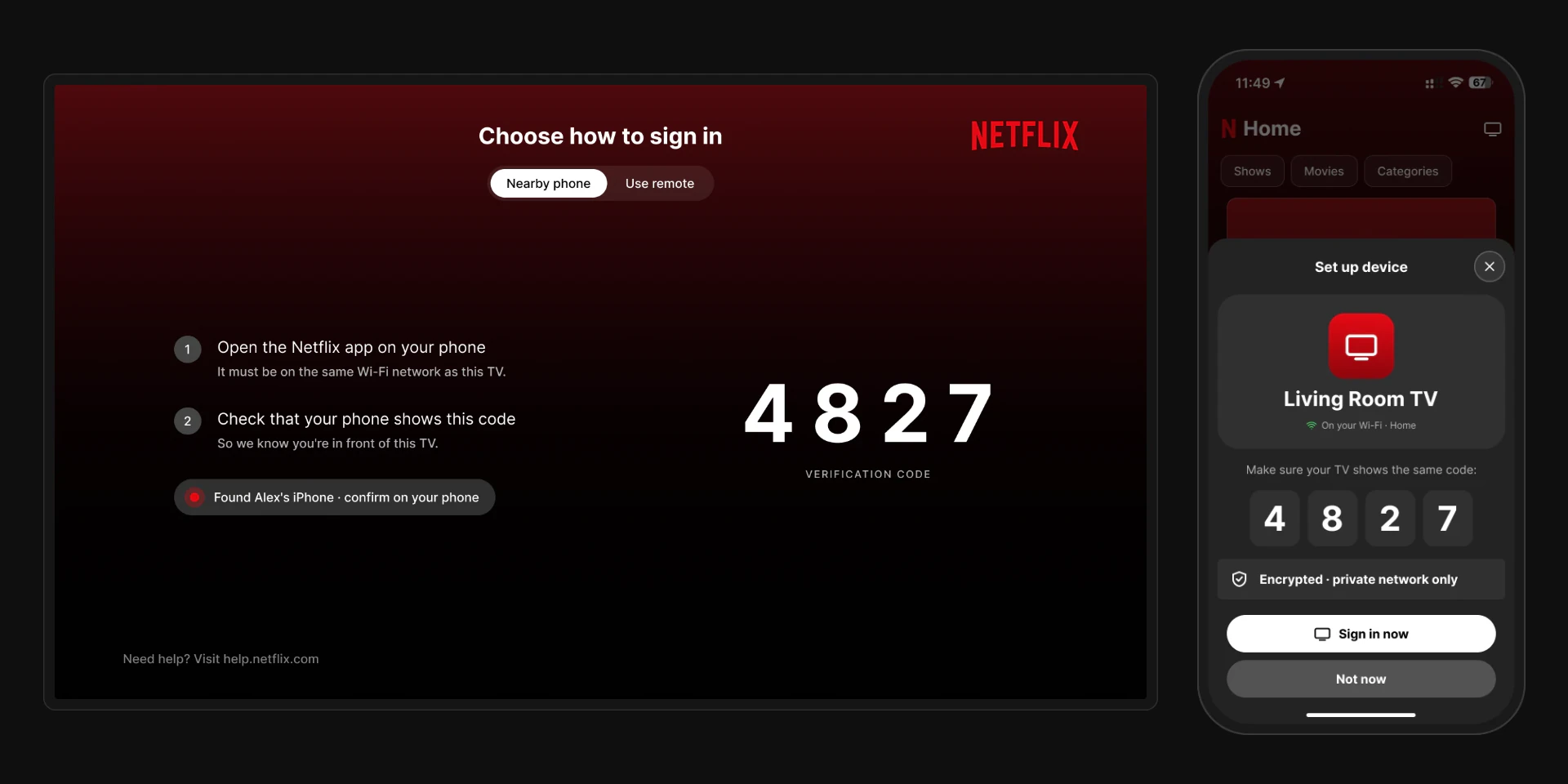
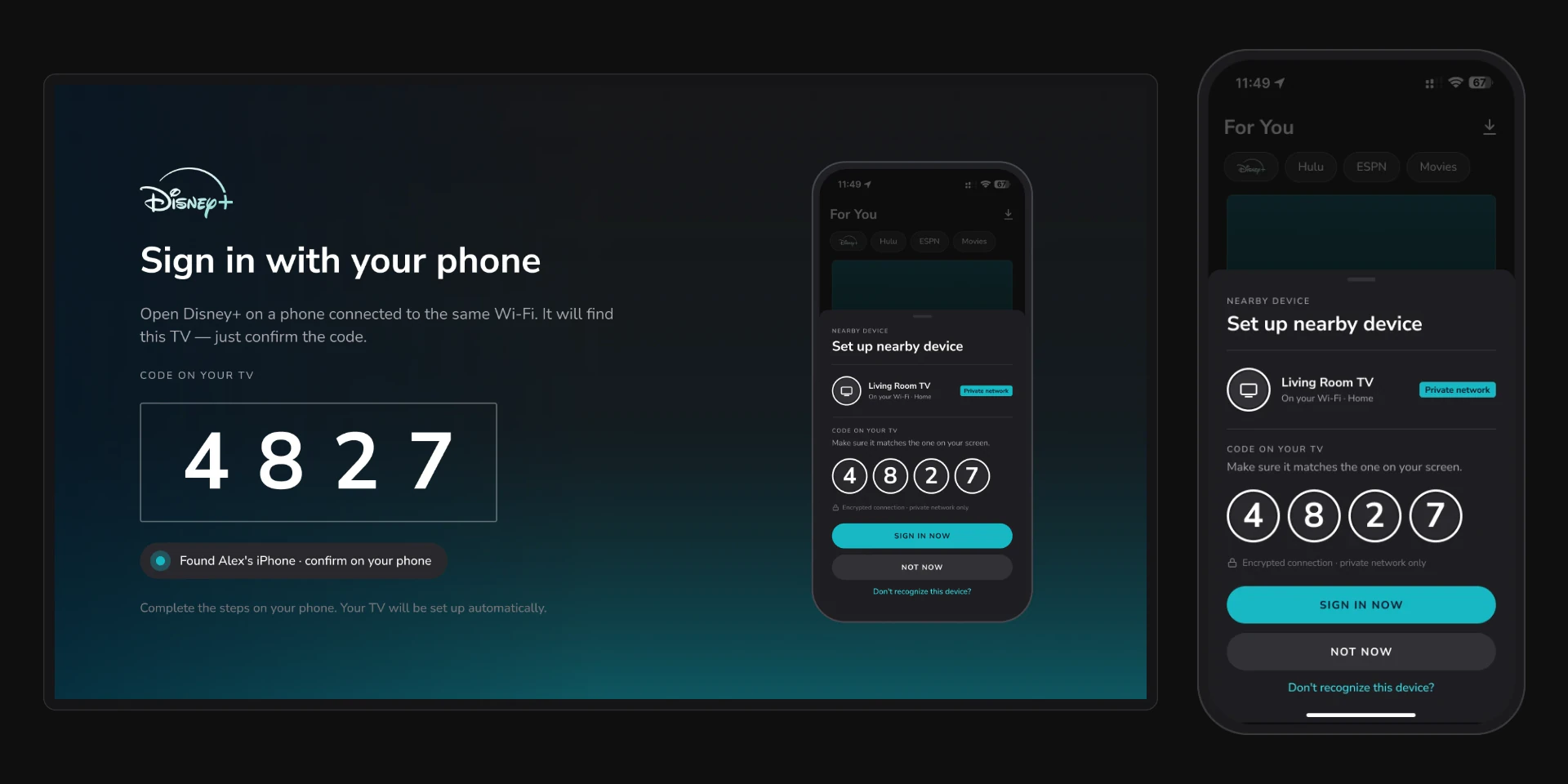
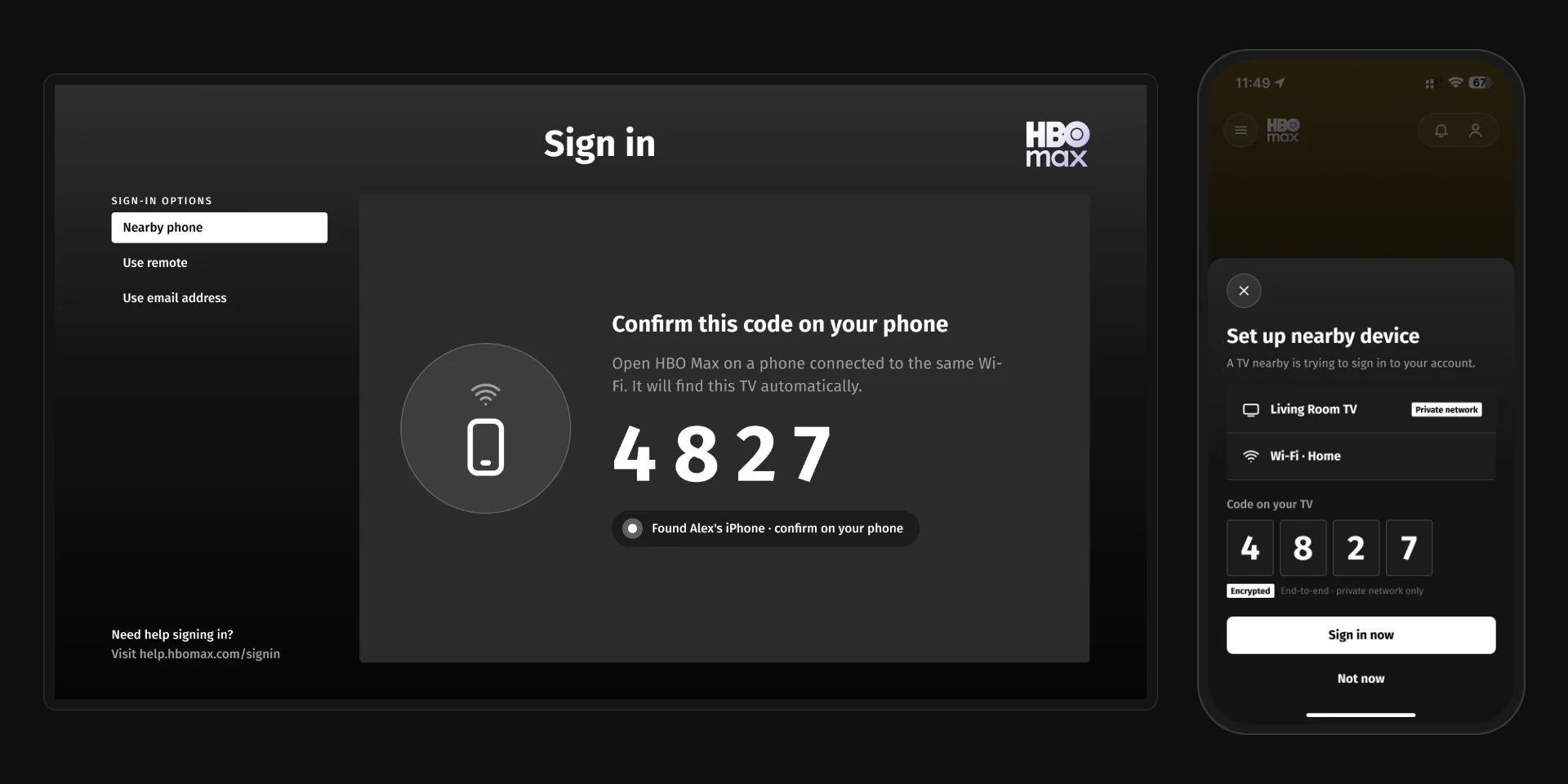
When the TV shows the sign-in screen, it announces itself on your home Wi-Fi. The streaming app on your phone spots it and shows a native card: “Set up nearby device.” You check that the 4-digit code matches the TV, tap Sign in now, and the TV goes straight to “Who’s watching?”.
How it works
01
The TV announces itself
02
Your phone finds it
03
One tap.
04
Straight to your profile.
If the network blocks devices from seeing each other (hotels, offices), the TV switches to signing in with the remote after 10 seconds. There’s always a way out.
Safe by design
Each app runs in its own locked-down sandbox on iOS and Android, and this flow stays inside it. The app finds the TV through the system’s Local Network permission, and only on networks marked as private.
The TV creates a one-time key pair for each sign-in. The phone uses the TV’s public key to encrypt its access token and sends it only over your home Wi-Fi; your password never leaves the phone. The TV can only open the token with its private key, then checks it with the streaming service’s servers before signing in. The 4-digit code confirms you’re in front of the right TV.
One pattern, three apps
The flow is the same in all three apps: the TV shows a code, your phone finds it, and one tap signs you in. Only the look changes. Each version borrows its app’s own colors, type and buttons, so it feels like part of the product, not a feature added on top.
Goals
< 6 s
From the sign-in screen to the profile picker (today ~45 s).
> 92 %
Of people who see the TV sign-in screen finish signing in.
< 8 %
Need the remote fallback.
What I learned
The best fix wasn’t a better QR code; it was removing the hand-off. Designing one pattern and then translating it into three design languages showed the idea holds up beyond a single brand.
More notes
Or see WorkSmall studies and concept fixes.